
What is Salesforce Global Search?
Salesforce Global Search is the universal search bar at the top of the Salesforce interface. It allows users to look across both standard and custom objects and get results quickly.
Powered by: Lightning Search
Key features include:
- Indexed search
- Personalized results
- Cross-object search
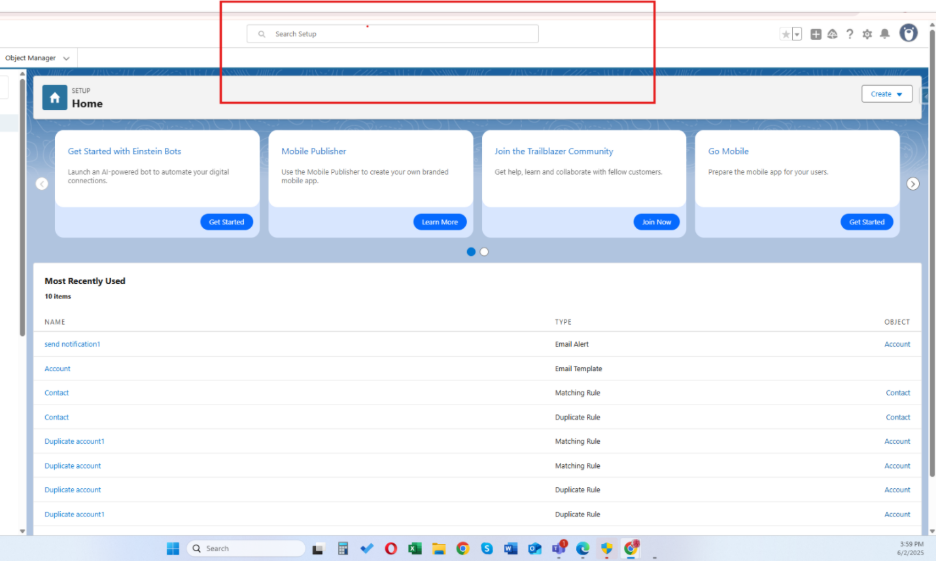
Navigating to Search Setup
To manage how Global Search works:
- Go to Setup.
- In the Quick Find box, type Search Manager.
- Click Search Manager to view and configure options.
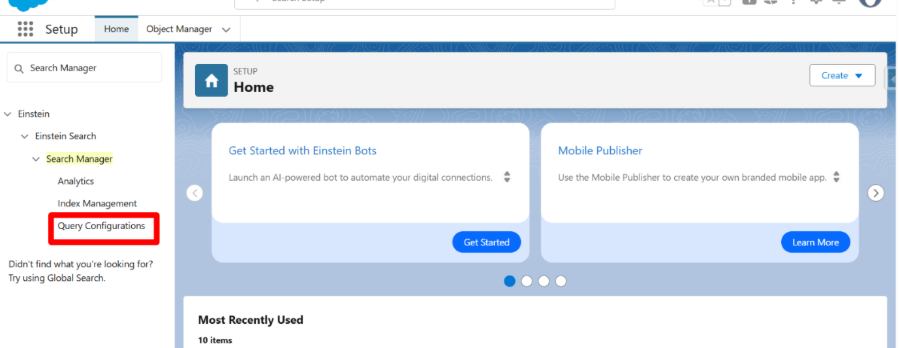
Search Manager – Managing Configurations
In the Search Manager, administrators can:
- View existing search configurations.
- Create new custom search configurations.
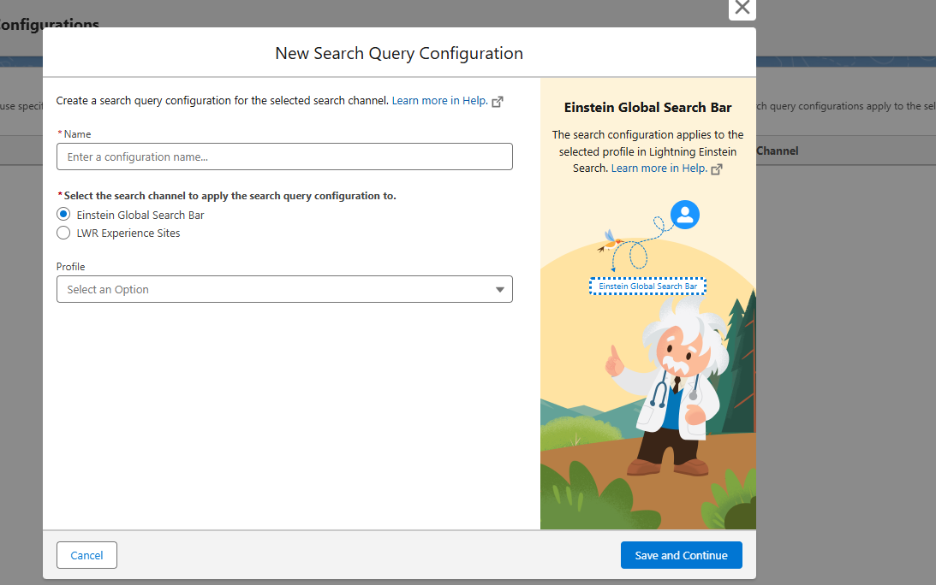
Restricting Search by Profile
You can configure Global Search differently for each profile. When you create a new Search Query Configuration, simply choose the profile and set the object priorities, query rules, and filters. This way, users in that profile see search results that are aligned with the work they do.
Controlling Field Searchability
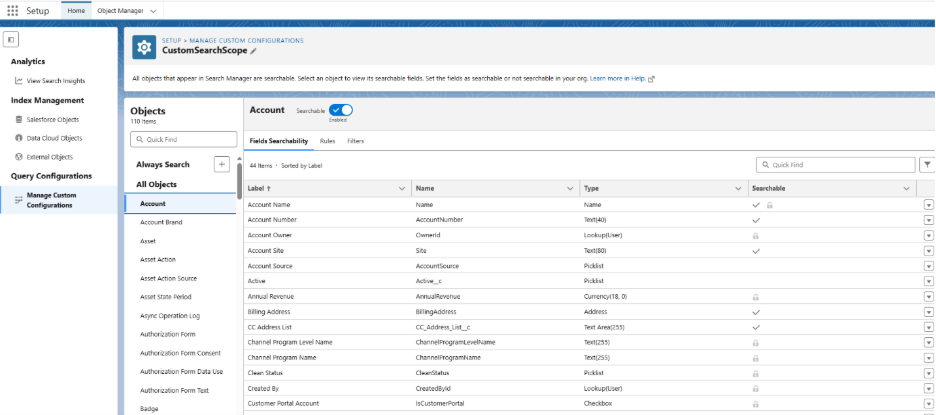
Not all fields are searchable by default. Administrators decide which fields can be included in Global Search.
Steps to Make Fields Searchable:
- Go to Object Manager.
- Select the object (e.g., Account).
- Click the field.
- Make sure the Searchable option is enabled.
- Verify Field-Level Security (FLS) so users have visibility.
Using Query Rules (Search Promotion Rules)
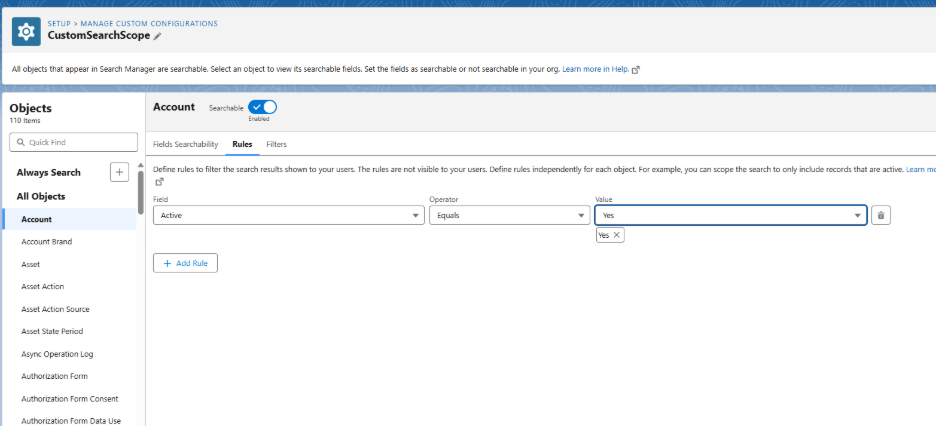
Query Rules allow you to control and customize what appears in search results.
- Promote specific records to the top.
- Hide irrelevant records.
- Use conditions to dynamically adjust results.
Example Use Case: Only Active Accounts
To make sure only active accounts appear
- Go to Setup → Search Manager.
- Click Search Promotion Rules.
- Create a new rule and name it Show Only Active Accounts.
- Add the condition:
- Object: Account
- Field: Status
- Operator: Equals
- Value: Active
- Under Promoted Records, choose accounts with Status = Active.
Now, only active accounts will appear at the top—or exclusively, if inactive ones are suppressed.
Filters in Global Search
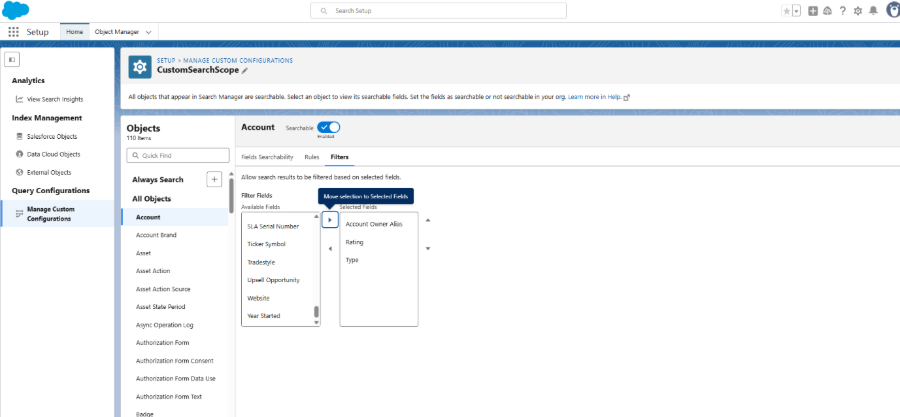
Filters make it easier for users to narrow down search results and find what they need quickly. They are context-aware and depend on object type and user permissions .
Users can filter by:
- Record Type – e.g., Customer Accounts, Partner Accounts
- Owner – e.g., My Records, specific user
- Date Ranges – e.g., Last 30 Days, This Fiscal Quarter
- Related Fields – e.g., Opportunities by Stage, Amount, or Close Date
Conclusion
Global Search in Salesforce is much more than a quick lookup tool. With the right setup—deciding which fields are searchable, applying query rules, and adding useful filters—you can make it easier for every team to find the information they need. A well-configured search keeps results relevant, saves time, and helps users stay productive