
Introduction
As AI revolutionizes how businesses function, Salesforce remains at the forefront. From generative content to predictive insights, Salesforce empowers teams to automate tasks, personalize experiences, and make informed decisions. But to harness AI’s true potential, your Salesforce org needs a foundation built for data readiness, ethical use, and trust. Here’s how to make an AI-ready Salesforce setup that delivers value across every department.
1. Establish a Strategic AI Foundation
Before enabling any AI feature, align your approach around business impact and ethical use. Avoid rushing in. Instead, follow a clear strategy:
- Define your business goals and match them with AI use cases.
- Align stakeholders across departments like sales, service, marketing, and IT.
- Establish a cross-functional AI committee to inform and guide decision-making.
Trust First:
Generative AI raises genuine concerns about bias, privacy, and data security. To close the AI trust gap:
- Establish ethical AI principles.
- Perform regular risk reviews and bias audits.
- Utilise Salesforce’s Trust Layer, which includes data masking, prompt defence, toxicity detection, and zero-retention agreements.
2. Ready Your Data Environment
AI requires clean, connected, and secure data. Start by auditing your data landscape:
- Hosting: Where is your data stored? Across orgs or clouds?
- Residency: Does your data meet local regulatory needs?
- Structure: Is your data structured (e.g. records) or unstructured (e.g. PDFs, chat logs)?
Steps to prepare your data:
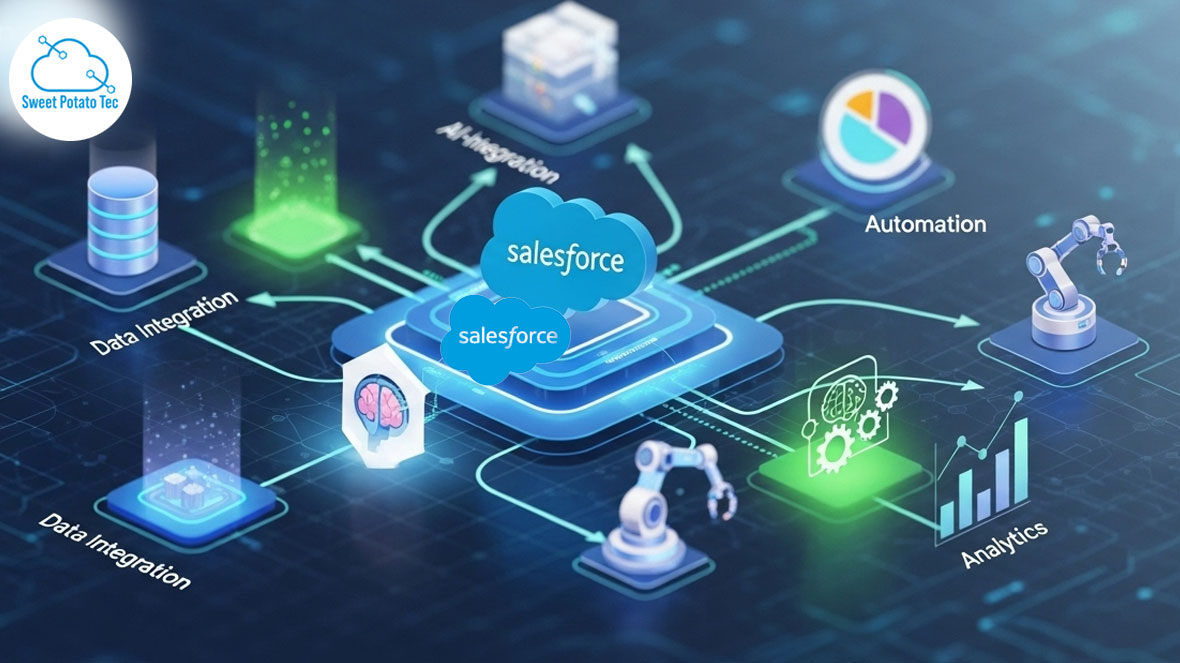
- Connect systems using Salesforce Data Cloud, MuleSoft, or APIs.
- Harmonise data into a unified model using Data Model Objects (DMOs).
- Enable identity resolution to link fragmented customer records.
This ensures your AI models work on a trusted, real-time view of the customer
3. Identify Use Cases That Drive Business Value
The best AI implementations start with high-impact, repeatable tasks.
Sales
- Prioritise leads and opportunities.
- Generate personalized email and pitch content.
Service
- Automatically draft case summaries.
- Deploy Einstein Bots to deflect common queries and automate responses.
Marketing
- Create dynamic audience segments.
- Personalise content and offers.
Commerce
- Recommend next-best products.
- Optimize fulfilment and fraud detection.
IT & Operations
- Enable anomaly detection.
- Generate auto-remediation workflows.
4. Empower Your Workforce
An AI-ready Salesforce setup is only as effective as the people using it. Train your teams with a focus on:
- Data literacy: Understanding how data flows into AI models.
- Prompt writing: Crafting clear, context-rich inputs for LLMs.
- Ethics & bias awareness: Spotting and correcting flawed outputs.
- Continual learning: Use Salesforce Trailhead and internal AI bootcamps.
Encourage a culture where AI is seen as a co-pilot—not a replacement.
5. Govern, Monitor, and Optimise
Establish long-term success with ongoing governance:
- Monitor AI outputs using audit logs and explainability tools to ensure transparency and accountability.
- Use Prompt Template Workspace to evaluate model behaviour.
- Establish internal policies that prioritize data masking, zero data retention, and robust access controls.
Checklist for AI Governance
- Ethical AI principles are defined and reviewed regularly.
- Security standards include prompt defense and toxicity filters.
- AI models are grounded in verified, permissioned data.
- Cross-functional review board is in place. .
Conclusion: CRM-Powered Intelligence Starts Here
With the right strategy, licenses, data foundation, and team readiness, your Salesforce setup becomes an engine for intelligent engagement. Generative and predictive AI are not just tools—they’re the new standard for CRM excellence.
Start now. Trust the data. Empower your people. Let AI do the rest.
From custom apps to complex integrations, our London-based Salesforce developers build solutions that fit your business.