

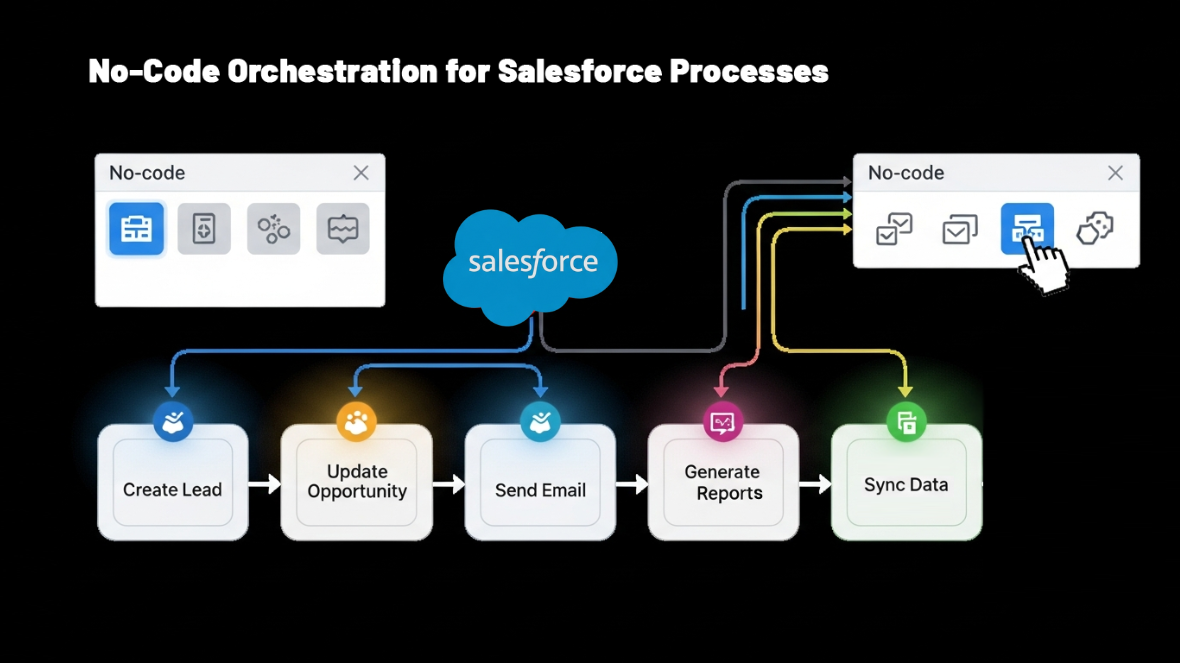
Salesforce users know that speed and precision are everything when it comes to managing leads and engaging prospects. But many teamsstill rely on manual routing, email notifications, or static assignment rules—which slow down the sales cycle and introduce errors.
With Salesforce’s No-Code Orchestration, you can now design smart, scalable workflows using Flow Orchestration and Flow Builder—all without writing a single line of code.
What Is Salesforce No-Code Orchestration?
No-Code Orchestration in Salesforce combines the power of Flow Orchestration, Lead Routing, and Record Matching to create intelligent, user-friendly automations that scale across your business.
You don’t need Apex. You don’t need external tools. You just need Flow Builder—Salesforce’s native, drag-and-drop automation tool.
1 Lead-to-Account Matching:
Matching incoming leads with existing accounts is the foundation of effective GTM execution. Salesforce orchestration — especially when extended with LeanData — enables:
- Automatic L2A Matching using domain, email, or custom logic
- Lead conversion or linking to matched accounts
- Fewer duplicates and smarter conversion tracking
- Real-time decisions, eliminating the need for manual intervention
LeanData’s fuzzy matching goes a step further by:
- Normalizing company names (removing “Inc.”, “LLC”, etc.)
- Using a proprietary database for subsidiary relationships
- Applying custom or domain-only logic based on your business needs
- Providing tagging options and tie-breaker rules when multiple matches are found
Result: Your leads are matched faster and more accurately, leading to better handoff and improved pipeline quality.
2 Route Records Intelligently Across Salesforce:
Once a lead is matched (or even if it’s new), the next step is getting it into the right hands — fast.
Salesforce Flows and LeanData’s routing engine both support dynamic routing based on:
- Region
- Lead score
- Product interest
- Territory
- Round robin logic
- Availability or user team
You can route any object: Leads, Contacts, Opportunities, or even custom objects, to:
- Specific users
- Queues
- Round robin pools
- Sales territories
Example Use Case:
If a new lead comes in from the Healthcare sector in the EMEA region with a score above 80, it’s automatically assigned to the EMEA Healthcare Sales Team.
LeanData’s FlowBuilder makes this kind of routing easy to set up using a simple drag-and-drop interface, even for complex rules—so it’s clear, easy to share, and quick to adjust when needed.
3 Build Complex Logic Without Code:
Whether you’re managing Salesforce or working in operations, you no longer need to rely on developers to build automation. Using Salesforce Flow Builder or LeanData’s drag-and-drop interface, you can build automated processes without needing to code
- Drag and drop automation steps into a visual canvas
- Build simple logic (like lead assignment)
- Or complex orchestrations (like lead scoring → task creation → notifications → approval routing)
With LeanData:
- Use entry nodes, decision nodes, match nodes, and action nodes
- Include custom logic with SOQL, add time delays, assign tasks to users, or trigger actions from external systems.
- Incorporate campaign assignments, lead conversion, and notifications in one place
Result: Business teams can create and manage flows themselves — freeing admins from repetitive requests and reducing dev backlog.
4 Track Performance with Native Reporting:
There’s no value in setting up powerful automation if you can’t track how well it’s working.
Salesforce automatically logs all flow actions and outcomes, and LeanData enhances this with:
- Pre-built reports & dashboards
- SLA tracking, speed-to-lead, and conversion performance
- Graph node-level stats showing how many records passed, failed, or are pending
You can monitor:
- Routing effectiveness by team or territory
- Lead conversion timing
- Flow success/failure rates
Result: Orchestration becomes a data-driven discipline, not a black box.
5 Simplify Troubleshooting with Audit Logs:
When something doesn’t go as planned, troubleshooting must be quick and easy.
With LeanData’s audit trail and Salesforce’s flow debug logs, you can:
- View step-by-step execution paths
- Identify exactly where and why an error occurred
- See user actions, skipped steps, or logic mismatches
- Pinpoint data mismatches or field-level failures
On LeanData graphs, each node shows:
- Successes, failures, and pending records
- Drill-down access into record history and decisions made
Result: Fast and clear error resolution — without relying on engineers.
Conclusion:
Whether you’re using Salesforce’s Flow Builder or enhancing it with LeanData, one thing is certain — no-code tools are changing how revenue teams work. Now, business users can take control of automation — from smart lead matching and routing to real-time insights and easy troubleshooting — all without needing developers. Looking to simplify your sales processes and speed up operations?
Book a LeanData demo to see how these powerful tools can help your team work smarter, faster, and more effectively.