

Salesforce continues its mission to make admin life easier. In Summer ’25, a major improvement of lands: User Access Summary Enhancements. With this update, Salesforce consolidates how you manage permission sets, permission set groups, object access, and queue assignments all from easy, centralized summary screens.
What’s New?
1. User Access Summary: Central Control Panel
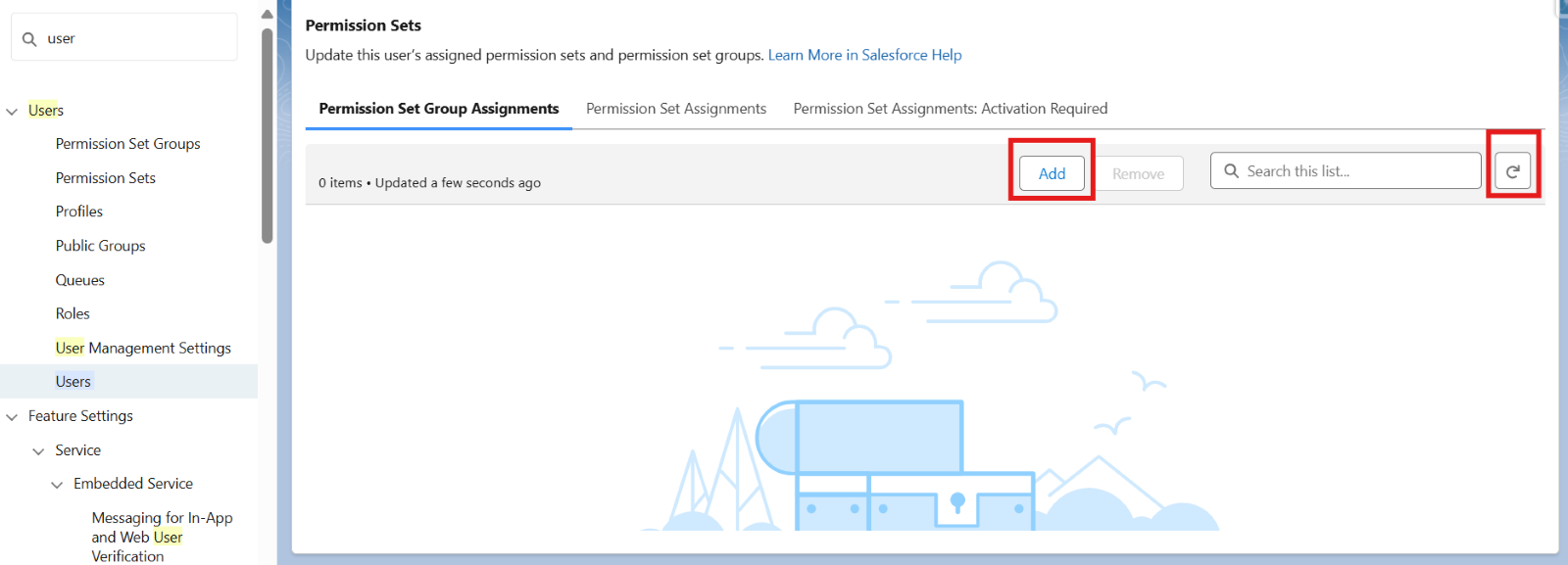
Now, when you click “View Summary” from a user record, you’ll see a refreshed interface that allows you to:
- View, Add, or Remove:
- Permission Sets
- Permission Set Groups
- Queues
- Search, Sort, and Refresh access lists without leaving the page
2. Permission Set Summary Page: In-Place Editing
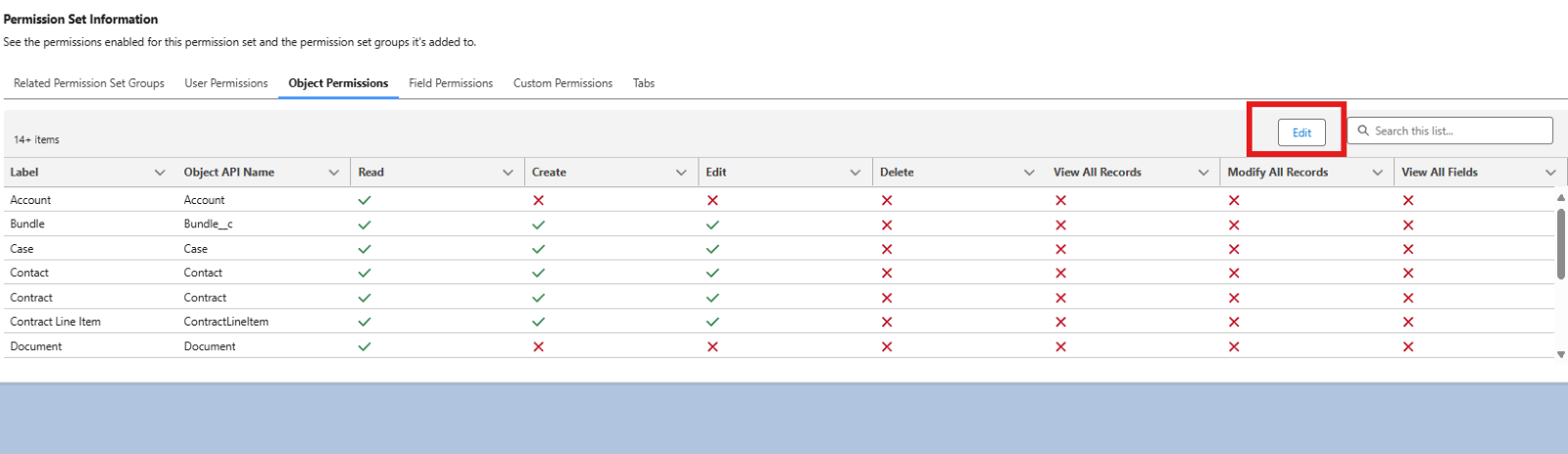
No more hunting across tabs! Now, on the Permission Set Summary page, you can directly:
- View and manage:
- Object permissions
- Field-level security
- User permissions
3. Manage Permission Set Groups Easily
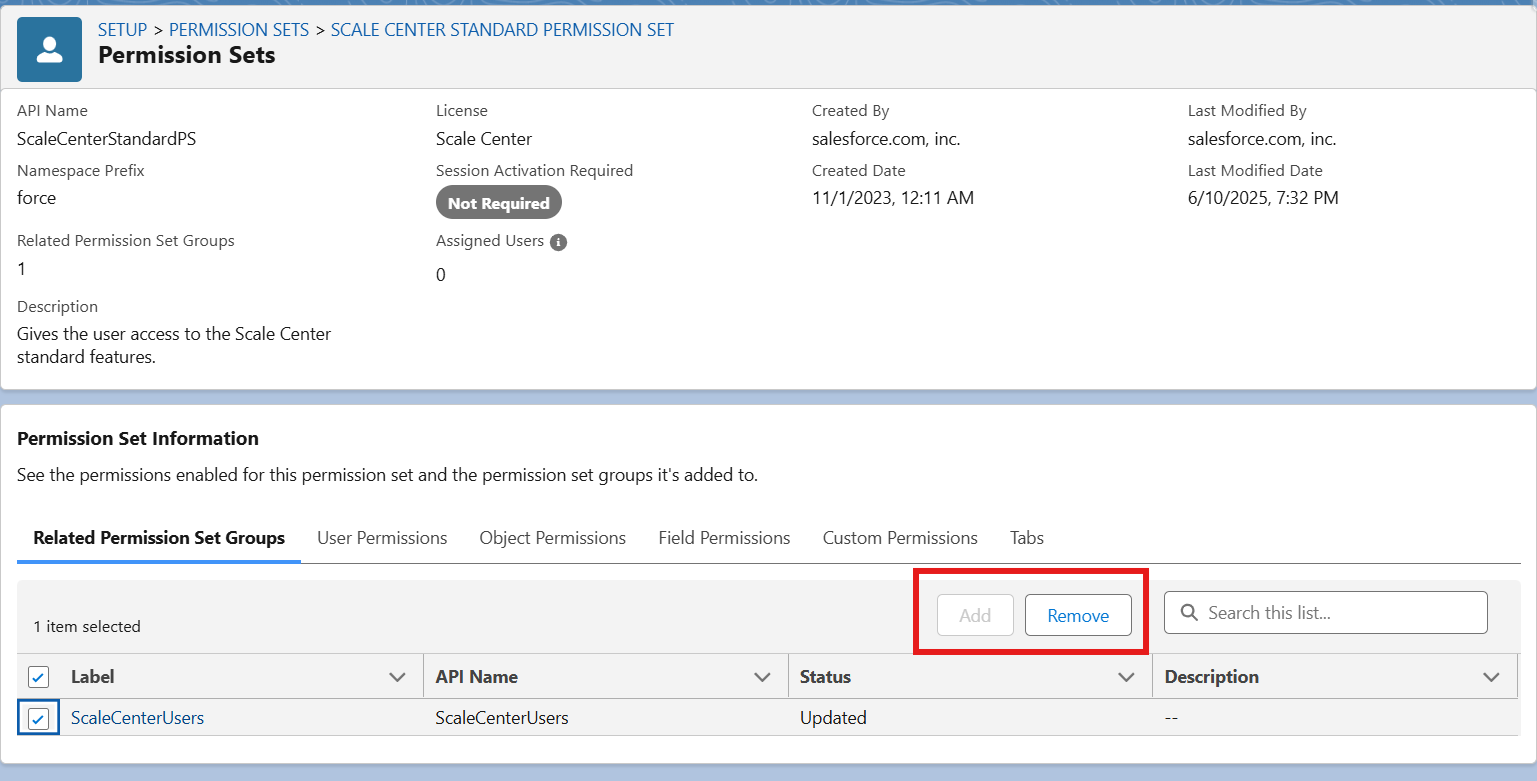
In the Permission Set Group Summary, you can now:
- Add or remove individual permission sets in one place
- See immediately what’s included
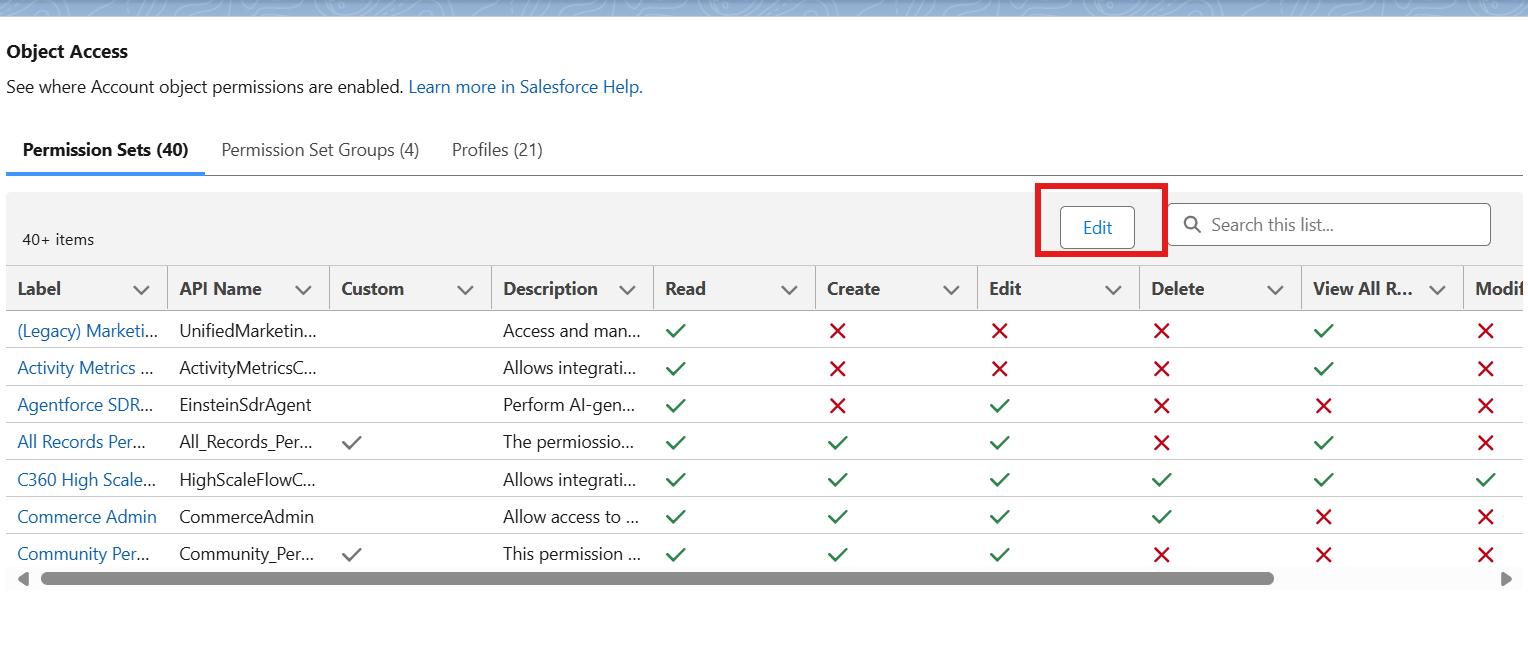
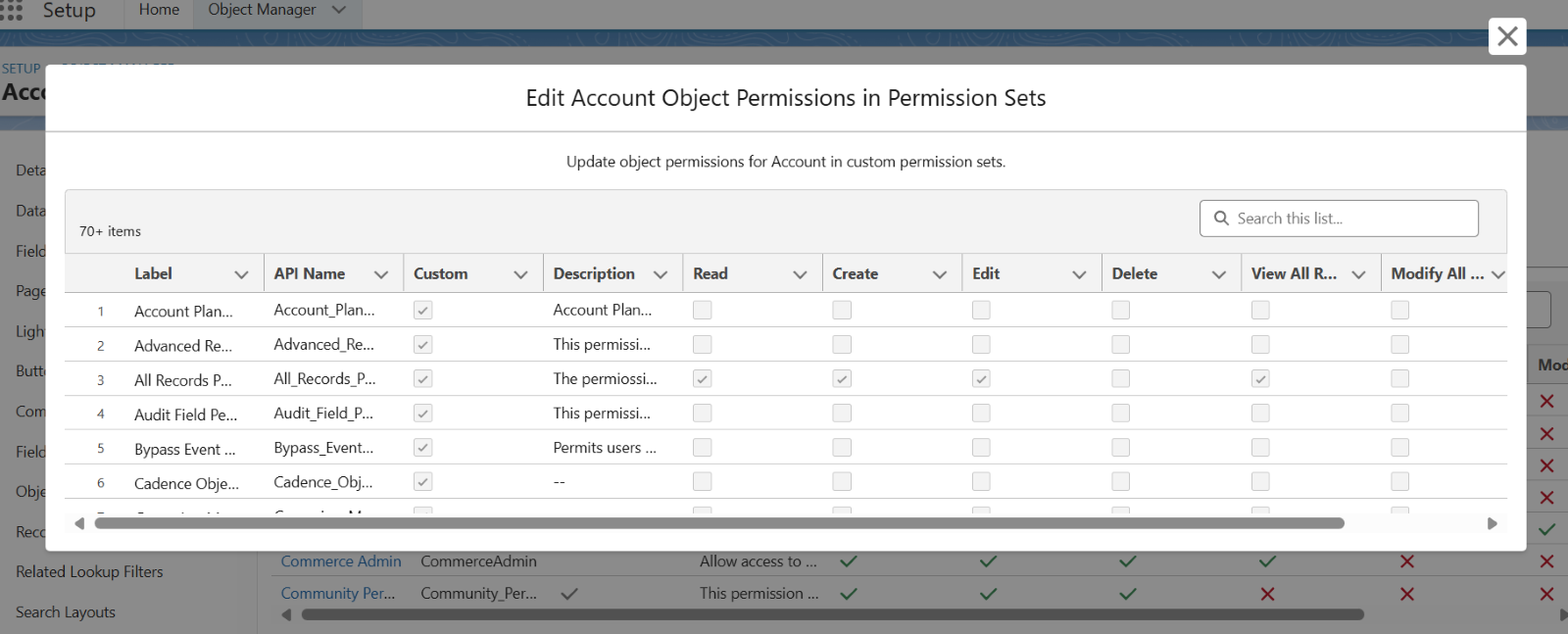
4. Bulk Edit Object Access for Permission Sets
From the Object Manager → Object → Object Access, you can now:
- View access for all permission sets and profiles at once
- Edit permissions (Read, Edit, Create, etc.) across sets in a table format
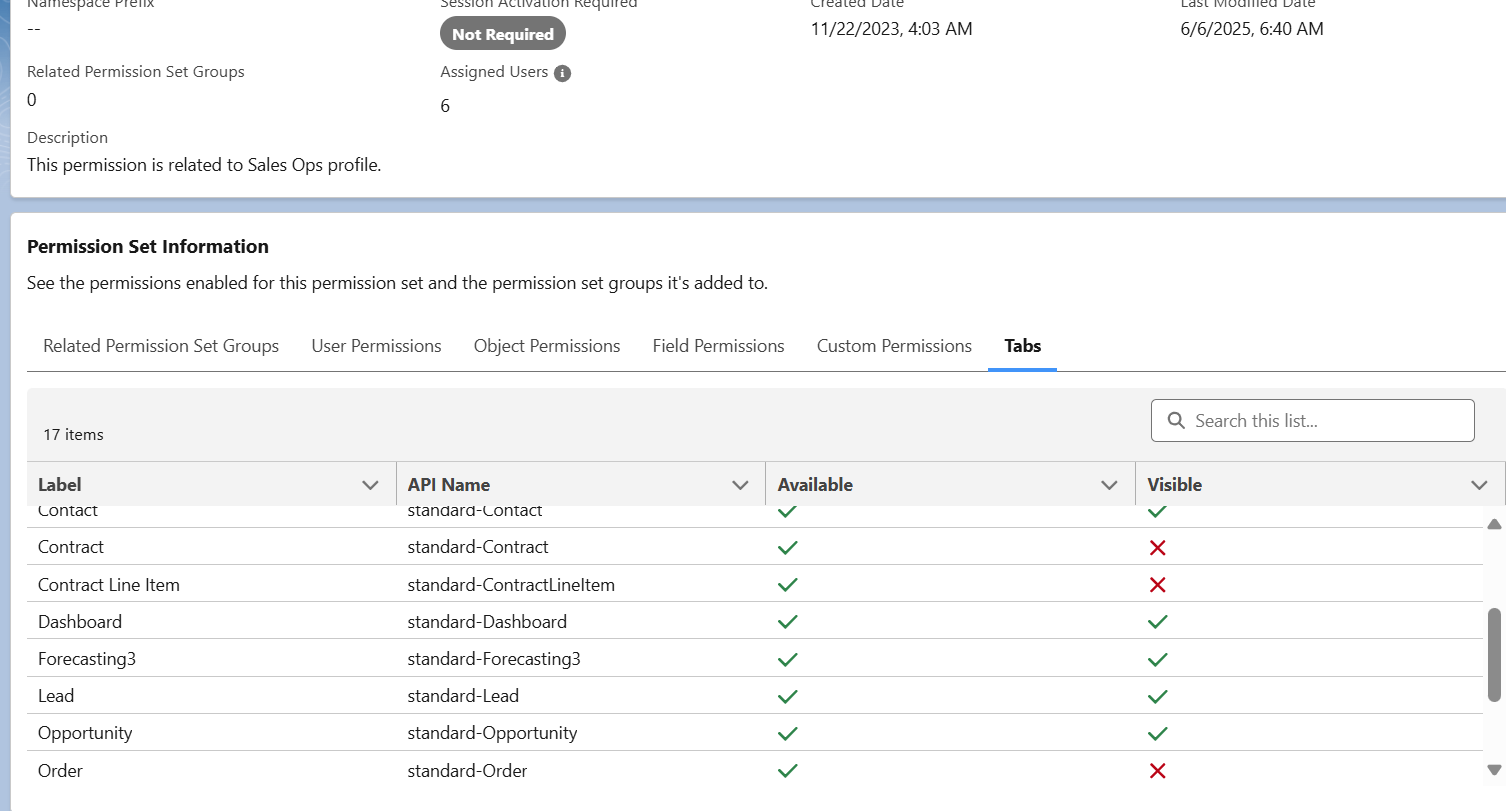
5. Tab Visibility: Now Included in Summaries
A new Tabs section now appears in the summary views of users, permission sets, and permission set groups. While read-only, it gives quick insight into:
- Which tabs are Visible, Default On, or Hidden
Why It Matters
This helps readers quickly understand what’s new:
| Feature | Before Summer ’25 | After Summer ’25 |
| User Summary | Limited view, no bulk actions | Full control panel with add/remove/search |
| Permission Set Summary | Scattered across tabs | Manage everything in one place |
| Permission Set Group Editing | Tedious and indirect | Add/remove sets in one click |
| Bulk Object Access Editing | One-by-one profile/set editing | Table view for mass updates |
| Tab Visibility Summary | No overview | View all tab access in summaries |
Pro Tips
- Bookmark the new “View Summary” links for users and permission sets
- Use the refresh icon in the summary view after making changes
- Train your team on how to add users to queues right from the summary page!
Final Thoughts
The Summer ’25 updates empower admins with better visibility, faster access management, and reduced clicks. especially valuable during a Salesforce implementation, when roles and permissions are still being defined. If you’re tired of juggling tabs to manage user permissions, this release is made for you.