
Salesforce’s Flow Builder empowers users to automate complex business processes without writing code. Among its capabilities, Record-Triggered Flows stand out by responding to changes in data. These flows come in two primary types: Before-Save and After-Save. Understanding their differences is crucial for building efficient and effective automation.
What Is Record-Triggered Flows?
Record-Triggered Flows automatically execute when a record is created, updated, or deleted. They allow for real-time automation, ensuring that business processes are consistently and accurately followed without manual intervention.
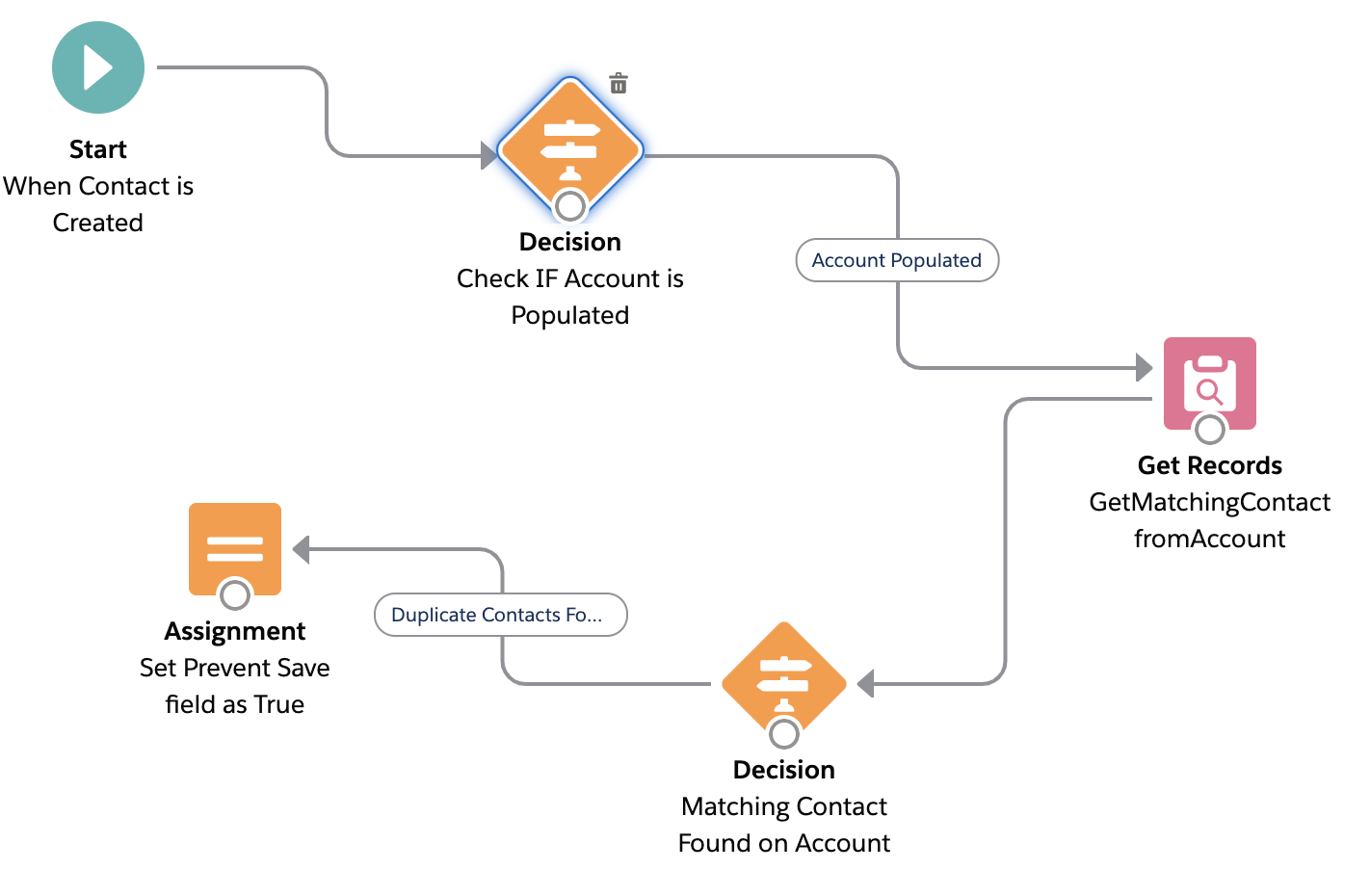
Before-Save Flows: Quick Field Updates
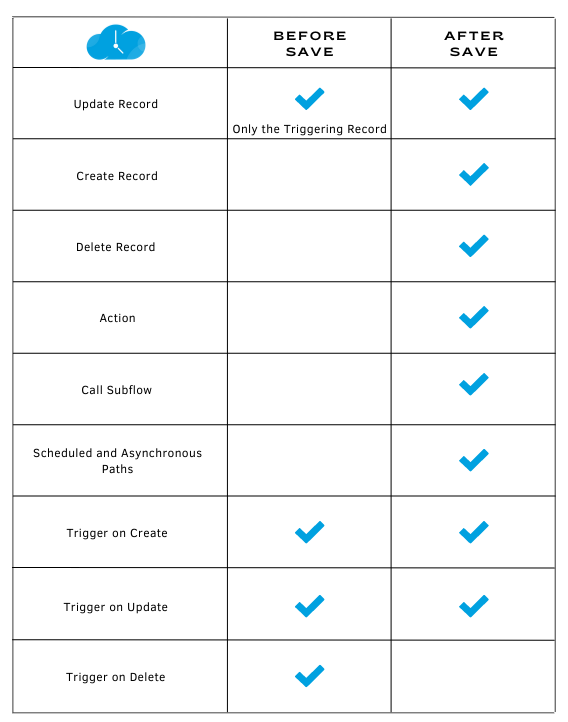
Before-Save Flows execute immediately before a record is saved to the database. They are optimized for performance and are ideal for scenarios where you need to update fields on the triggering record itself.
- High Performance: Execute up to 10 times faster than After-Save Flows.
- No DML Operations: Field updates don’t count against governor limits.
- Limited Scope: Cannot create or update related records, send emails, or invoke subflows.
After-Save Flows: Comprehensive Actions Post-Save
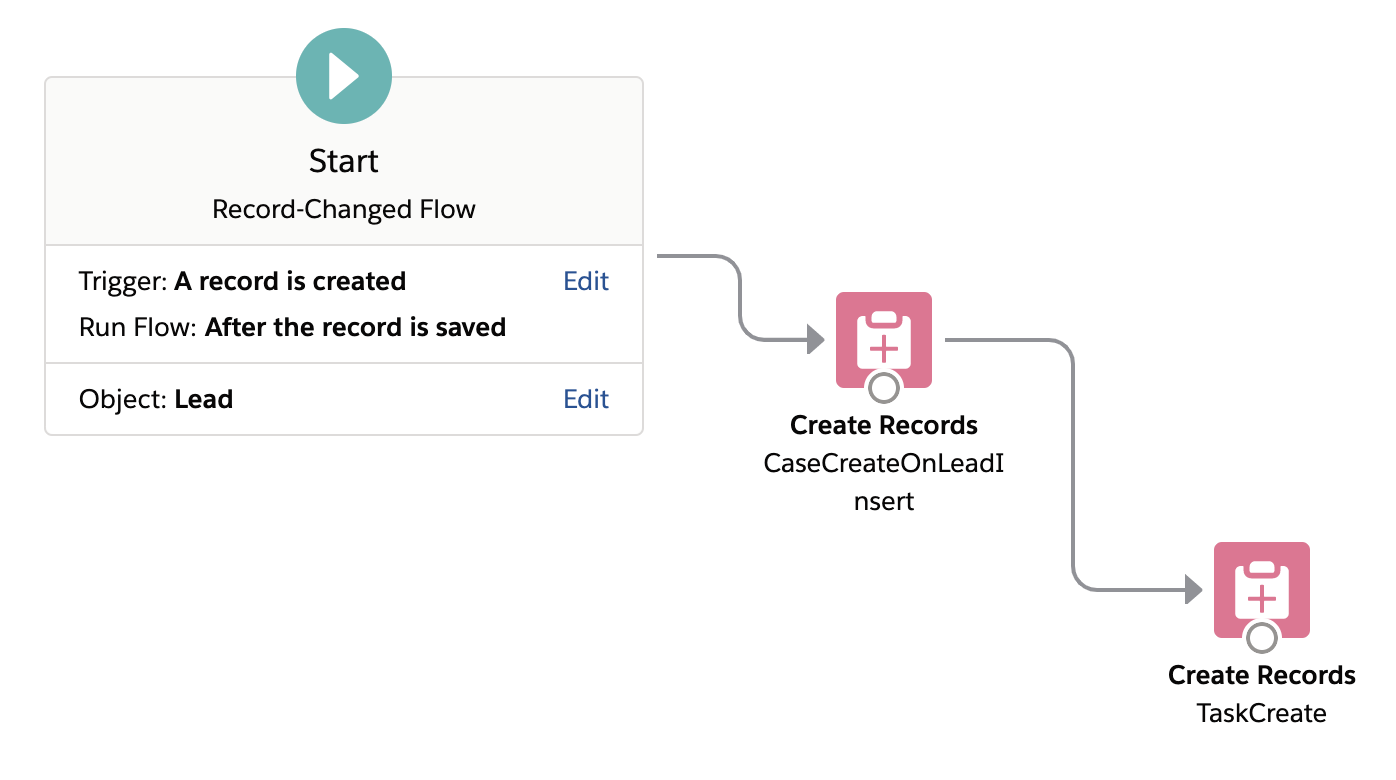
After-Save Flows run after a record has been saved to the database. They have access to the record’s ID and can perform a wide range of actions, making them suitable for more complex automation needs.
- Access to Record ID: Enables creation or updating of related records.
- Supports Multiple Actions: Can send emails, post to Chatter, invoke subflows, and more.
- DML Operations Required: Actions count against governor limits.
Comparison Table
| Feature | Before-Save Flow | After-Save Flow |
| Execution Timing | Before record save | After record save |
| Can Update Triggering Record |  | |
| Can Update Related Records |  | |
| Can Create Records | | |
| Can Send Emails | | |
| Performance | High | Moderate |
| Counts Against DML Limits | No | Yes |
When to Use Each Flow Type
Use Before-Save Flows When:
- You need to update fields on the triggering record only.
- Performance is a critical concern.
- You want to avoid consuming DML limits.
Use After-Save Flows When:
- You need to create or update related records.
- You need to send notifications or emails.
- You require access to the record’s ID or system-generated fields.
Conclusion
Choosing between Before-Save and After-Save Flows depends on the specific requirements of your automation. For simple, high-performance field updates on the triggering record, Before-Save Flows are ideal. For more complex operations involving related records or external actions, After-Save Flows provide the necessary capabilities. Understanding these differences ensures that your Salesforce automations are both efficient and effective.